
.avif)


Zillow Self-Guided Tour Instructions: How to Automate Rental Showings With Auto-Responders
Self-guided rental showings are quickly becoming the standard for modern property management. Renters expect instant responses, flexible touring options, and minimal back-and-forth—while property managers need automation that actually works.
Until Zillow’s direct integrations with third-party showing services are fully bug-free, the most reliable solution is setting up clear auto-responders with self-guided showing instructions. This article explains how to do that on Zillow and other listing sites while avoiding integration issues that can prevent properties from leasing.
Why Auto-Responders Are Critical for Zillow Rental Listings
Zillow rental inquiries often come in outside business hours. If prospects don’t receive immediate instructions onhow to tour your property, they move on to the next listing.
Setting up automated responses withself-guided showing instructions allows you to:
- Respond instantly to every inquiry
- Let renters schedule tours 24/7
- Reduce manual follow-ups
- Avoid broken or incompatible showing integrations
- Lease properties faster with less effort
Auto-responders are currently the most dependable solution for managing Zillow rental leads.
Important Warning About Zillow Showing Service Integrations
Some third-party showing services connected to Zillow are not compatible with the ID photo upload and verification phase required for self-guided tours.
When this happens:
- Renters cannot complete verification
- Showings fail to schedule
- Leasing activity comes to a stop without obvious errors
Property managers should always verify that any direct Zillow showing integration is functioning properly from start to finish.
If an integration is not working, do not rely on it alone. Instead, route renters directly to a verified self-guided showing link using auto-responders.
Best Practice: Use Auto-Responders for Showing Instructions
Until Zillow showing service integration sare consistently reliable, the best approach is to:
- Use Zillow auto-responders with clear self-guided tour instructions
- Include a direct property showing link
- Provide a dedicated listing phone number with a recorded voicemail greeting with directions to schedule showings online.
This ensures renters always know howto schedule a tour without waiting for manual follow-up.
How to Set Up Zillow Auto-Responders (Desktop / Web)
ZillowPremier Agent – Message Templates
- Sign in to Zillow.com
- Click your profile picture and select Settings
- Under Inbox, choose Message Templates
- Click Add new template (or edit an existing one)
- Enter your self-guided showing instructions, such as:
*Thank youfor your interest in this rental.
To schedule a self-guided tour, please use the link below:
[Your Self-Guided Showing Link]
Tours areavailable seven days a week. For questions, call or text [Phone Number].*
- Save the template
- Go to Inbox → Auto Actions
- Set this template as your auto-responder for new rental leads
This ensures every Zillow inquiryreceives immediate instructions.
Howto Use Zillow Quick Responses (Mobile App)
Zillow’s mobile app allows you tosave Quick Responses for fast replies.
- Open Zillow Messages
- Tap More (top right)
- Select Quick Responses
- Tap the “+” button
- Enter your self-guided showing instructions
- Tap Save
When replying to renters, select More→ Quick Responses and send the saved message.
Managing Rental Leads That Come Through Email or CRM
Many Zillow rental inquiries arrivevia email rather than directly in the Zillow inbox.
EmailAuto-Responders
- Use your email client’s auto-reply feature (such as Gmail’s Vacation Responder)
- Include your self-guided showing link
- Clearly outline next steps
CRMAutomation
- Use your connected CRM to trigger automatic replies
- Include consistent self-guided tour instructions
- Route renters directly to your showing workflow
-
Every lead should receive the sam eclear instructions, regardless of the source.
ProTips for Self-Guided Rental Showings
- Always include a direct scheduling link to automate rental showings when using an automated showing service provider.
- Offer tours most days with automated scheduling
- Use a dedicated listing phone number that directs inquiry traffic correctly so that people get the information they need to schedule a showing easily and you’re able to respond to ever inquiry immediately.
- Record a voicemail greeting that directs callers to schedule online. You can direct them to your website and the property listing link, the links in your listings online, YouTube video link with showing instructions, etc.
- Avoid manual scheduling whenever possible, or it may become impossible to respond to every inquiry
Switch to Keyless and Eliminate Showing Friction
If you are still managing keys ordealing with unreliable integrations, it may be time to switch.
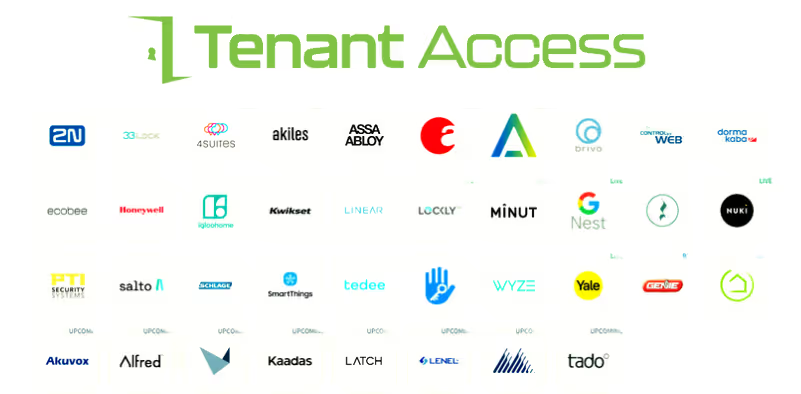
Tenant Access makes keyless rental property management and automated self-guided showings simple and affordable.
- Built for scattered-site property managers and owners
- Eliminates physical keys
- Works with Tenant Turner and RentEngine using Igloo Home smart locks
- Saves time and accelerates leasing
Keyless pays for itself—and it isthe future of rental property management.
For help switching to keyless rentalproperty management and automated showings, visit:
www.mytenantaccess.com
Automateon Zillow, Get Rid of Keys, and Get More Free Time
Until Zillow integrations are fully reliable, auto-responders with clear self-guided tour instructions are the most effective solution.
Use your showing link in:
- Zillow auto-responders
- Email auto-replies
- CRM workflows
- Listing phone voicemail greetings
Schedule a sales call with TenantAccess about going keyless the easy way today:
https://calendly.com/sales-mytenantaccess/30min?month=2025-12





.png)


%20(1).avif)


.avif)

.png)