.avif)


Smart locks have quickly gone from “nice-to-have” to must-have infrastructure for modern rental properties. Whether you manage a few long-term units or a portfolio of short-term rentals, the right smart lock can cut key hassles, reduce lockouts, and give you real-time visibility into who is entering your units and when. At the same time, not every lock is designed for landlords, property managers, or multi-tenant buildings - many are built first for single-family homeowners.
In this guide, we’ll compare the top smart locks for rental properties in 2026, focusing on the features that matter for operations: remote access, code automation, platform integrations, durability, security ratings, and pricing. You’ll walk away with a clear sense of which models fit short-term rentals, long-term rentals, and multifamily best, and how solutions like MyTenantAccess can help you centralize access control across your portfolio.
Note: Pricing mentioned is approximate street pricing in early 2026 and can vary by retailer, finish, and promotions.
What Makes a Smart Lock “Rental-Ready”?
Most smart locks can open a door with an app. Rental-ready smart locks go further and support the realities of tenant turnover, staff access, and compliance.
Key capabilities to prioritize for rentals include:
- Remote access control
You should be able to lock/unlock doors, add/remove users, and change codes without going on-site. - Time-bound codes and digital keys
For short-term rentals and vendor access, look for unlimited or high-capacity codes, with schedules and expiry. - Audit trails and activity logs
Managers need to see who accessed which door and when, for security and liability. - Portfolio-level management
If you run multiple units or buildings, centralized software or integrations with platforms like Tenant Access are critical for scaling access management. - Hardware durability and security certifications
Look for ANSI/BHMA Grade 1 or Grade 2 deadbolts, tamper detection, and strong encryption (e.g., AES-256) for digital communication. - Guest/tenant-friendly operation
Simple keypads, clear indicators, and optional physical keys for residents who aren’t tech-savvy help reduce support calls. - Integration with rental platforms or property software
Direct integrations with systems like Airbnb, PMS platforms, or access control services help automate code creation and revocation.
With that in mind, let’s look at the leading smart lock brands and models for rentals in 2026.
August: Retrofit King and Short-Term Rental Staple
August has been one of the most recommended smart lock brands for rentals because it retrofits onto existing deadbolts, keeps the exterior hardware intact, and offers robust remote features via Wi-Fi bridges.
Why August Works Well for Rentals
- Retrofit design: Installs on the inside of the door, so you keep your existing keyway and exterior hardware.
- Unlimited temporary and permanent PINs (when paired with the August keypad), ideal for rental property managers who frequently create and revoke codes.
- Remote lock/unlock and monitoring via the August or Yale Access app, including door status and activity logs.
- Broad integration ecosystem: Works with major security systems and platforms like ADT, SimpliSafe, Frontpoint, Vivint, as well as voice assistants.
- Back-up physical key: Because the original deadbolt remains, tenants can still use a metal key if necessary.
Key August Models for Rental Properties
- August Wi-Fi Smart Lock
- Approx. price: $199.99
- Built-in Wi-Fi (no separate bridge), supports remote control, auto-lock, and guest keys.
- Good fit for single-family rentals and small portfolios wanting easy retrofits.
- August Smart Lock Pro + Connect
- Approx. price: $199–$249 depending on bundle and keypad options.
- Z-Wave and Wi-Fi support, strong compatibility with third-party security systems.
- Unlimited temporary and permanent PINs, especially attractive for short-term rentals and high-turnover units.
Best Use Cases for August in Rentals
- Short-term rentals and Airbnb-style stays where you want to avoid rekeying and need frequent, automated code changes.
- Older buildings or HOAs where you must preserve exterior hardware or door aesthetics.
- Owners transitioning gradually from mechanical keys to smart access.
Yale Assure 2 & Yale/Google Nest x Yale: Feature-Rich for Pros
Yale is a legacy lock manufacturer with strong smart offerings geared to both homeowners and professional operators. Its newer models, especially Yale Assure 2, add built-in Wi-Fi and Matter readiness, making them future-proof for property owners.
Yale Assure 2: New-Generation Smart Deadbolt
According to recent reviews and lab testing, Yale Assure Lock 2 is one of the most capable locks in 2026:
- Built-in Wi-Fi: No plug-in module required, reducing complexity and hardware clutter.
- DoorSense sensor: Confirms whether the door is actually closed - critical for rental units where guests may not fully latch the door.
- Auto-unlock via Bluetooth geofencing and auto-lock options.
- Matter-ready firmware for integration with modern smart home and building systems.
- Direct Airbnb integration: Reservations can create and expire unique access codes automatically, dramatically reducing manual work for hosts.
- Compatibility: Airbnb, Apple Home, Alexa, Google, SmartThings, and IFTTT.
Approximate pricing depends on trim and connectivity:
- Yale Assure Lock 2 with Wi-Fi: Roughly $229–$289 depending on style and finish.
Nest x Yale: Best Overall for Keyless PIN Entry
The Nest x Yale Smart Lock, a collaboration between Google Nest and Yale, continues to be rated as one of the best smart locks overall in 2026.
Key features attractive to rental operators:
- Fully keyless design with PIN-only entry (no keyway), reducing risks of key duplication or lock bumping.
- Two access levels: “Family” users can manage PINs and view activity; other users receive PINs with restricted permissions.
- Tamper-proof behavior: The lock disables for one minute after five incorrect PIN attempts and can send alerts of suspicious activity.
- Seamless integration with Nest ecosystem, including Nest doorbell cameras for visual verification of guests or staff.
- Clean, modern aesthetic with multiple finishes suited for upmarket rentals.
Price is typically around $279 when purchased directly.
Best Use Cases for Yale in Rentals
- Professional Airbnb and STR hosts who want direct Airbnb integration and high guest satisfaction.
- Design-driven apartments and single-family rentals where aesthetics matter.
- Operators who want to minimize keys entirely, especially with Nest x Yale’s keyless design.
Schlage Encode: Workhorse Wi-Fi Lock for High-Turnover Rentals
Schlage is a long-standing lock brand with a strong reputation for hardware security and durability. The Schlage Encode line is frequently recommended as a best-value smart lock for Airbnb and other short-term rentals.
Why Schlage Encode Is Popular with Hosts
- Built-in Wi-Fi: No additional hub or bridge needed for remote access.
- Up to 100 unique codes with an access log to track usage - enough for many STR hosts and small multifamily properties.
- Auto-lock configurable from 15 seconds to 4 minutes to prevent doors being left unlocked.
- Direct Airbnb compatibility through Airbnb’s official smart lock partner program.
- Strong security pedigree: Many Schlage models meet ANSI Grade 1, the highest residential rating, which is comparable to commercial-grade hardware.
- Integration with major platforms: Amazon Alexa, Google Assistant, Ring, Schlage Home app.
Approximate prices:
- Schlage Encode Wi-Fi Deadbolt: Often in the $250–$300 range, with variations by model and finish.
When Schlage Encode Makes Sense
- Medium-to-high-volume STR portfolios needing a reliable, “set-and-forget” Wi-Fi lock with solid logging.
- Hosts who want Grade 1 hardware for peace of mind and insurance discussions.
- Operators standardizing on a single vendor across multiple property types.
Level Lock & Level Bolt: Design-First, Invisible Smart Access
Level targets owners and operators who want smart functionality without changing the exterior look of the door. For boutique rentals or high-end multifamily, this can be a differentiator.
Level’s Key Advantages for Rentals
- Invisible motor in the deadbolt: Level hides the electronics inside the bolt, so the exterior can look completely traditional.
- Auto-lock and auto-unlock via Bluetooth geofencing for frictionless entry.
- NFC “Home Keys” stored in Apple Wallet, letting guests tap to unlock with an iPhone or Apple Watch.
- Up to one-year battery life using a compact CR2 cell - important for minimizing maintenance visits.
- Matter support via firmware, ensuring compatibility with newer platforms.
Recommended models:
- Level Bolt (Wi-Fi)
- Retrofit that fits inside existing deadbolts, preserves exterior hardware.
- Ideal when you want smart features but must maintain historical or custom hardware.
- Level Lock
- Full Grade 2 deadbolt with built-in Wi-Fi and Apple Wallet keys, best when you can replace the entire lock.
Typical pricing for Level products falls roughly in the $250–$350+ range depending on model, keypad bundles, and finishes.
Best Use Cases for Level
- Boutique and luxury rentals where design and first impressions are critical.
- Historic or architecturally sensitive buildings where exterior hardware can’t change.
- Apple-centric guest bases who appreciate Wallet key support.
Igloohome, Danalock, and Others: Niche Rental-Focused Options
Beyond the mainstream brands, several specialized smart lock makers focus heavily on property management use cases, especially cross-platform access and offline code management.
Igloohome: Multi-Lock Ecosystem for Tenant Access
Igloohome offers more than just deadbolts - including padlocks and keyboxes that can all be managed from a single app.
- Use cases: Restricting access to private owner closets, storage, or garages, while also handling front-door access for guests.
- Features:
- Fingerprint scanners, keypads, and physical key backup on some models.
- Time-based PINs and remote code management, ideal for rental property owners and their property managers.
- Built-in alarms and emergency power options to maintain access during battery issues.
Pricing tends to be mid- to high-range, with many devices in the $150–$250+ bracket depending on form factor and features.
Danalock: European-Style Retrofit with Strong Encryption
Danalock, developed by a Danish team, is known for sleek design and AES-256 encryption, the same standard used by U.S. government agencies for sensitive data.
- Supports permanent and temporary passcodes, suitable for vacation rentals and access sharing.
- Particularly relevant for European-style doors and cylinders, but also offers variants for North American hardware.
Pricing is typically in the $180–$260 range depending on region and model.
When to Consider These Niche Brands
- You need specialty form factors (padlocks, keyboxes) for mixed use within the same property.
- You manage international portfolios where local door standards differ.
- You prioritize offline or encrypted access models for security or regulatory reasons.
Smart Locks for Multi-Tenant and Enterprise-Grade Buildings
For larger portfolios, what matters is less the brand on the lock and more the platform that orchestrates credentials, schedules, and integrations.
Multi-Tenant Requirements Go Beyond the Lock
According to industry analysis, multi-tenant buildings - including multifamily, student housing, and mixed-use properties - have specific needs beyond what consumer smart locks typically offer:
- Centralized access management across dozens or hundreds of doors and shared spaces.
- Role-based access for staff (maintenance, leasing, cleaning) and vendors.
- Audit trails, reporting, and uptime SLAs suitable for institutional owners.
- Integration with property management systems (PMS) and resident apps.
Solutions in this space often pair compatible hardware (from brands like Yale, Schlage, or others) with a cloud access platform that:
- Issues and revokes digital keys across the portfolio.
- Provides residents with mobile or PIN access while giving management full oversight.
- Offers APIs for integration with building systems and third-party apps.
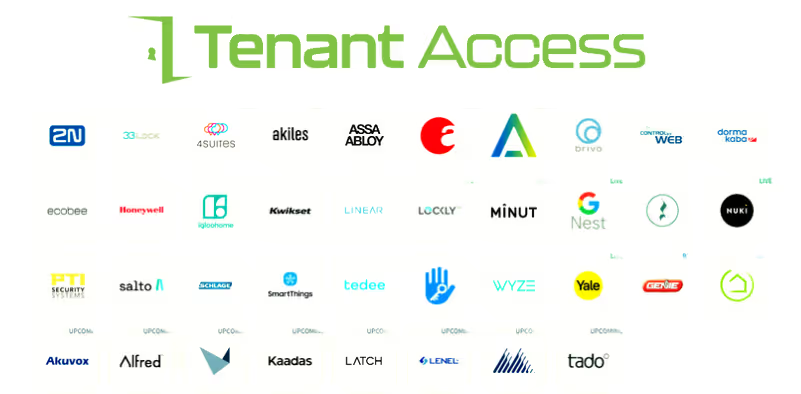
Platforms like Tenant Access operate in this context, helping owners and managers coordinate tenant, guest, and staff access from a single pane of glass, rather than managing each smart lock brand independently. You can learn more about solutions like this on the Tenant Access home page at https://www.mytenantaccess.com.
Pricing Overview: What to Budget per Door in 2026
Smart lock costs break down into:
- Hardware (lock, keypad, bridge if needed)
- Installation (self-install vs. professional)
- Software/platform fees (per-door or per-unit in enterprise setups)
- Tenant Access (www.mytenantaccess.com) helps property owners and managers eliminate the upfront costs for hardware to make the switch to keyless realistic and affordable.
Typical Hardware Price Ranges
Based on recent roundups and lab tests:
- Entry- to mid-range Wi-Fi/Bluetooth deadbolts (e.g., Kwikset Aura, some Schlage, basic Yale):
- Roughly $120–$200 per lock.
- Retrofit premium models (August Wi-Fi, August Smart Lock Pro, Danalock, Level Bolt):
- Often $180–$250 per door.
- High-end designer or fully integrated locks (Yale Assure 2 with full features, Level Lock, Nest x Yale, Igloohome with biometrics):
- Frequently in the $230–$350+ range.
Keypads, extra bridges, or accessory components can add $30–$100 per door depending on brand.
Installation Costs
- DIY installation: Many smart locks are designed for DIY installs in under an hour if you’re comfortable with tools.
- Professional installation: For large portfolios or complex doors, expect $75–$200 per door depending on market, door prep, and electrical work.
Software and Management
Consumer-grade locks often have no monthly fee for basic app control. Costs arise when you add:
- Professional monitoring or security systems
- Enterprise access platforms that unify multiple properties and doors
- Centralized access from one dashboard across multiple smart lock brands
Solutions like Tenant Access are designed to sit above individual locks, helping landlords and managers centralize tenant access, which can reduce total operating cost per door even when hardware is slightly more expensive. For more details on how centralized access control can affect your operating budget, visit https://www.mytenantaccess.com. Tenant Access is designed so that keyless pays for itself.
How to Choose the Right Smart Lock for Your Rental Strategy
The “best” lock depends on your property type, scale, and operational workflow. Here’s how to align features with your rental model.
For Medium to Long-Term Rentals
Prioritize:
- Automatic code generation and expiry tied to live access requests
- Fast, reliable Wi-Fi for quick access reservations and remote troubleshooting.
- Renter-Friendly smart locks that are reliable with built in failsafes.
- Activity logs to verify access events.
Good fits:
- Schlage Encode for built-in Wi-Fi and direct support.
- Yale Assure 2 for Airbnb integration and Matter support.
- August Wi-Fi/Pro when you want retrofit convenience and wide platform compatibility.
For Long-Term Rentals and Small Portfolios
Prioritize:
- Reliability and hardware grade over flashy features.
- Backup physical keys for residents and local managers.
- Simple app control to add and remove tenants at move-in/move-out.
- Reasonable hardware cost per door.
Good fits:
- August Wi-Fi Smart Lock (retrofit, keeps existing keys).
- Yale Assure 2 for a full deadbolt replacement with modern features.
- Mid-range Schlage or Kwikset models tested for durability by labs such as Consumer Reports.
For Multifamily and Multi-Tenant Buildings
Prioritize:
- Centralized access management platform (such as MyTenantAccess or a dedicated building OS) over individual apps.
- Locks that support enterprise or PMS integrations.
- Scalability: thousands of credentials, groups, and role-based control.
- Strong audit trails and reporting for compliance and liability.
Good fits:
- Locks from Yale, Schlage, August, or enterprise-grade vendors that integrate with your chosen access platform.
- Infrastructure where each door lock is a node in a broader access ecosystem, not a standalone gadget.
Common Questions Owners and Managers Ask About Smart Locks
Are smart locks really more secure than traditional keys?
When properly installed and managed, yes - often more secure. Modern smart locks combine solid mechanical hardware (ANSI/BHMA Grade 1 or 2) with encryption and features such as:
- Access logs for every unlock attempt
- Time-bound or one-time codes for vendors and guests
- Tamper alarms and lockouts after repeated failed attempts
Traditional keys can be copied easily, and rekeying between tenants is costly. Smart locks make revoking access digital instead of physical, which is more consistent and auditable.
What happens if the power or internet goes out?
Most smart locks are battery-powered, so a building power outage does not immediately affect door operation. If Wi-Fi fails:
- Local methods (PIN code, Bluetooth, NFC, or physical key) typically still work.
- Some locks offer emergency power contacts where you can temporarily connect a 9V battery to power the keypad.
For rentals, it’s good practice to:
- Check battery levels regularly via your access platform or set up alerts to let you know when batteries are getting low. Tenants easily change batteries in less than one minute.
- Maintain at least one physical backup method, especially for long-term tenants.
Can tenants lock themselves out?
Smart locks can reduce lockouts but not eliminate them. To mitigate:
- Enable auto-lock with a short delay, so doors aren’t left open, but give enough time to step back inside.
- Offer multiple access options (keypad + app + keycard/physical key depending on the model).
- Provide clear, simple smart lock instructions for first-time users. (save yourself all of the technical calls)
Platforms that centralize access (like Tenant Access) let your team unlock remotely or generate emergency one-time codes when needed.
Turning Smart Locks into a Strategic Advantage for Your Rentals
Choosing a smart lock is no longer just a hardware decision. For rental properties, it’s about designing an access strategy that:
- Makes remote access and move-in seamless
- Reduces lockouts and rekeying costs
- Gives you real-time visibility into who is accessing your units
- Integrates with your booking, PMS, or tenant management systems
Brands like August, Yale (including Nest x Yale and Assure 2), Schlage Encode, Level, Igloohome, and Danalock all offer strong options for different segments of the rental market. The right choice for you depends on your property type, volume, and tech stack.
If you manage more than a handful of units, the next step is to look beyond individual lock apps and toward a centralized access platform that can unify smart locks, codes, and user permissions across your entire portfolio. That’s where solutions like Tenant Access come in - helping landlords and property managers streamline tenant access, reduce operational friction, and get more value out of every smart lock installed. To explore how a unified access layer can work across your properties, visit https://www.mytenantaccess.com.
Tenant Access makes switching to keyless operations in one easy swoop possible by eliminating upfront costs for smart locks and smart monitoring devices. Switching to keyless is finally an affordable reality for property managers.




.png)

%20(1).avif)


.avif)

.png)